QuickBuild: No-Code Page Builder for Small Business Operations
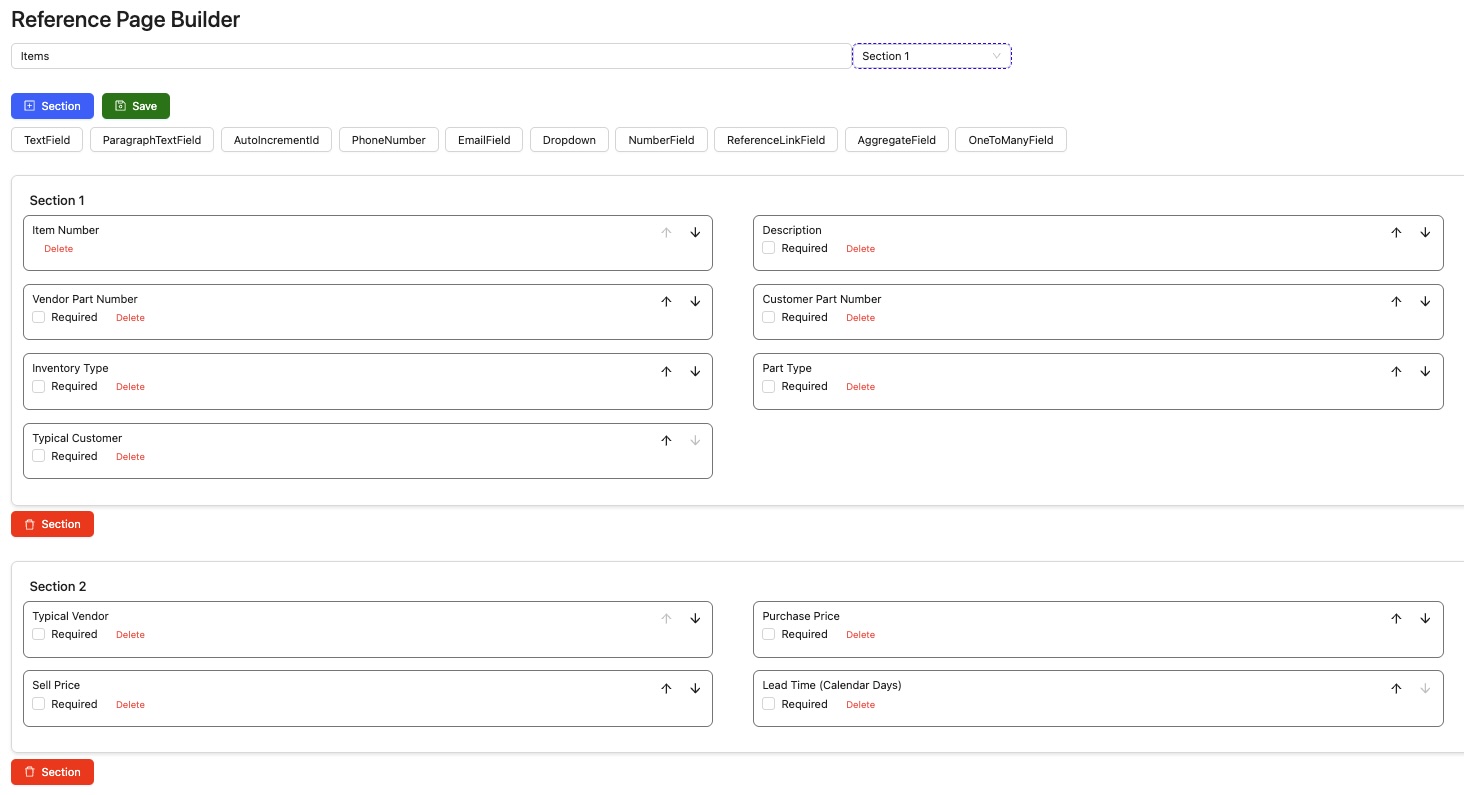
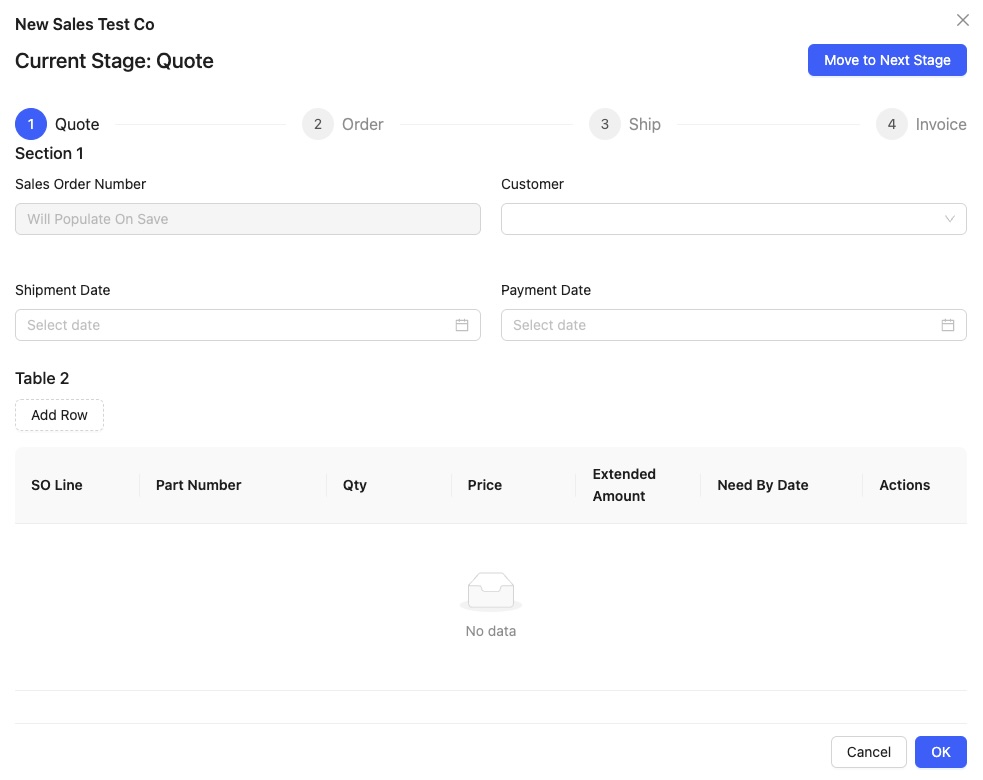
QuickBuild empowers small businesses to design operations workflows and manage essential data—without coding. With drag-and-drop visual workflows and a flexible page builder, you can quickly create Reference Pages for storing customer, vendor, and asset information, and Transaction Pages for sales, purchasing, production, and more. This solves the problem of complex, rigid ERP systems by giving non-technical users control to build custom processes that match their business needs, resulting in increased efficiency and fewer errors.
How QuickBuild Solves Real Problems
- Problem: Small teams struggle with rigid, expensive ERP tools.
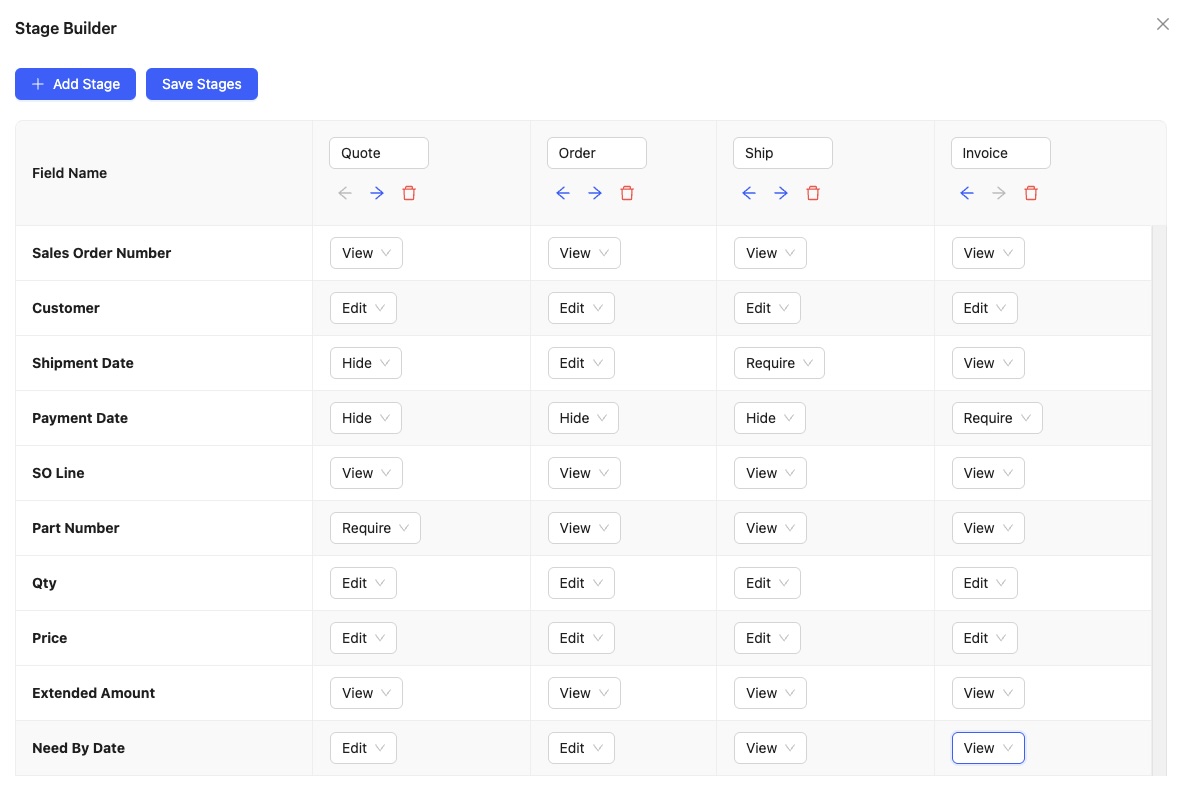
- Solution: QuickBuild lets you customize every page with fields like text, numbers, dropdowns, and dates—no coding or IT needed. Set up workflows and reports tailored to your business, enabling better data accuracy and process visibility.
- Result: Faster onboarding, dynamic process changes, and a scalable platform that grows with your needs.
Integration and Implementation
- Integrates with Active Directory, LDAP, RESTful API, email notifications, and major build tools for seamless data flow.
- Implementation is quick, with intuitive setup and documentation designed for beginners, reducing setup cost and time.
QuickBuild vs. Other Solutions
- Unlike Jenkins, CircleCI, or Bamboo, QuickBuild is easier to set up, requires no coding, and is beginner-friendly.
- Offers visual workflow design and hierarchical project management that others lack.
QuickBuild gives small businesses the flexibility of enterprise-grade ERP, without the overhead.
QuickBuild Video Tutorial
QuickBuild Features
Contact Management
Lead Management
Pipeline Management
Technical Specifications
Deployment
Cloud Hosted, Proprietary, Web-based
Support
08:00 to 16:00 (PST), Email, Friday, Monday, Phone, Thursday, Tuesday, Wednesday, Weekdays,Support Days,Monday,Tuesday,Wednesday,Thursday,Friday,Support Time,08:00 to 16:00 (PST)